 Live validation
With live validation, you can check the settings you change while you are on site. This helps you to make sure the changes are in line with the expectations.
| It is highly recommended to use live validation only outside of trading hours because onsite the light levels respond to the change of the settings. |
-
In the menu, click Light control.
-
Click Live validation (
 ).
). -
Select the site to enter live validation.
-
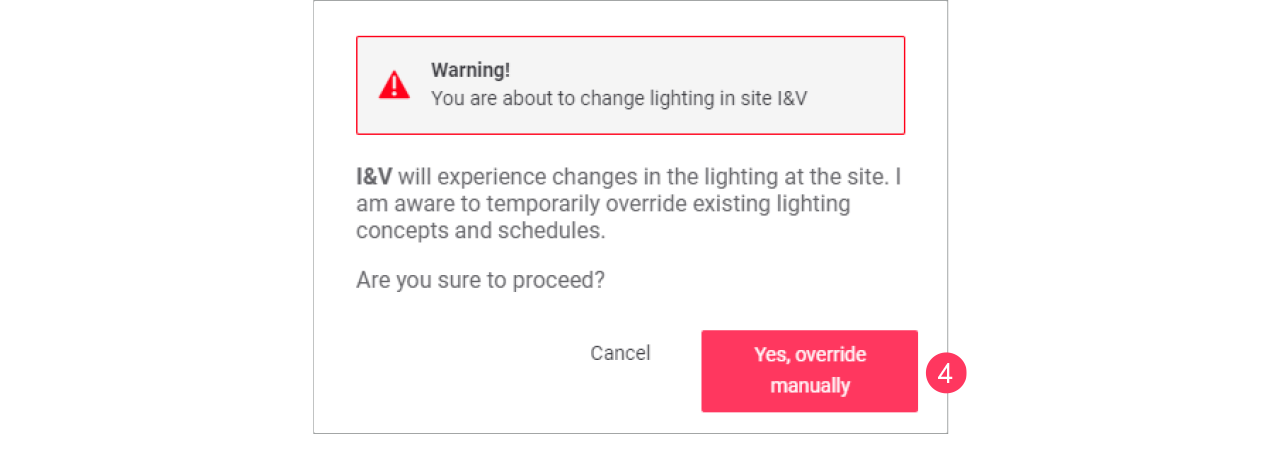
A warning message appears. Click Yes, override manually if you’re absolutely sure.
-
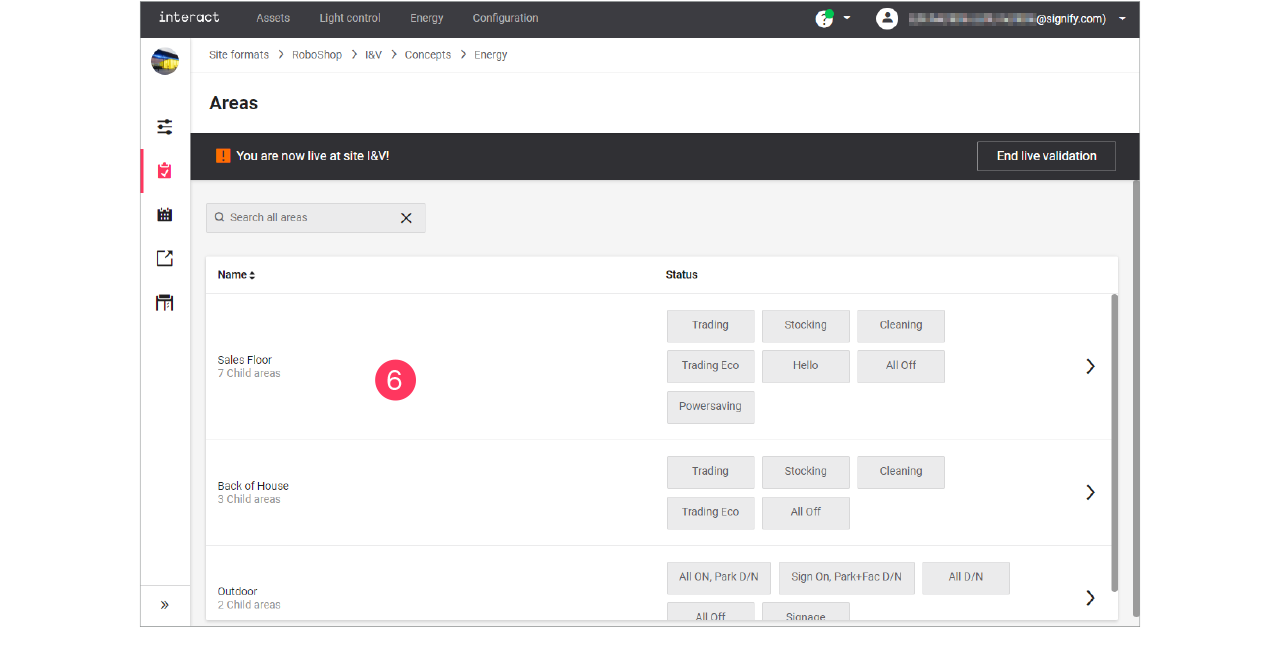
Select the Concept to use for live validation.
-
Click the Name of the area to apply and check.
-
When done, click End live validation.