Synchronize time and time zone
Synchronizing the time and time zone with the site location is important for the schedules to run on the local time. This is equally important for the day and night mode to be in sync with the times of sunrise and sunset.
Synchronization with the time zone is configured during commissioning of the gateway using the GPS coordinates of the site. These coordinates are given as part of the intake.
The system checks the local time of the gateway remotely. In case the time on the gateway is out of sync, the customer is given the possibility to trigger synchronization.
-
In the menu, click Light control.
-
Click Sites (
 ), then click Overview.
 -
When the local time is out of sync, an orange exclamation mark appears next to the time.
-
Hover over the
 symbol, a popup appears.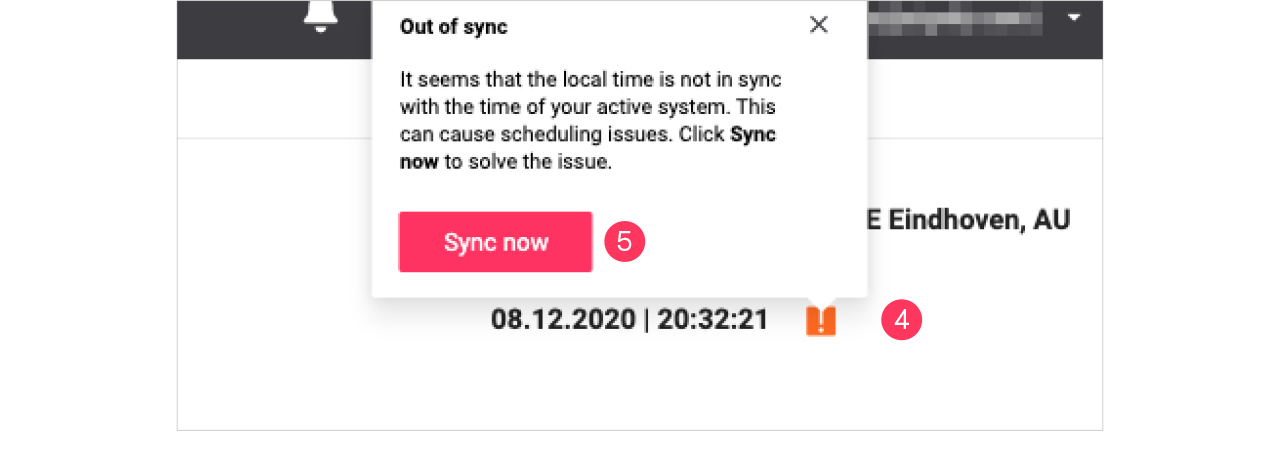
-
Click Sync now to synchronize the time with your system time.