The dashboard explained: Compare

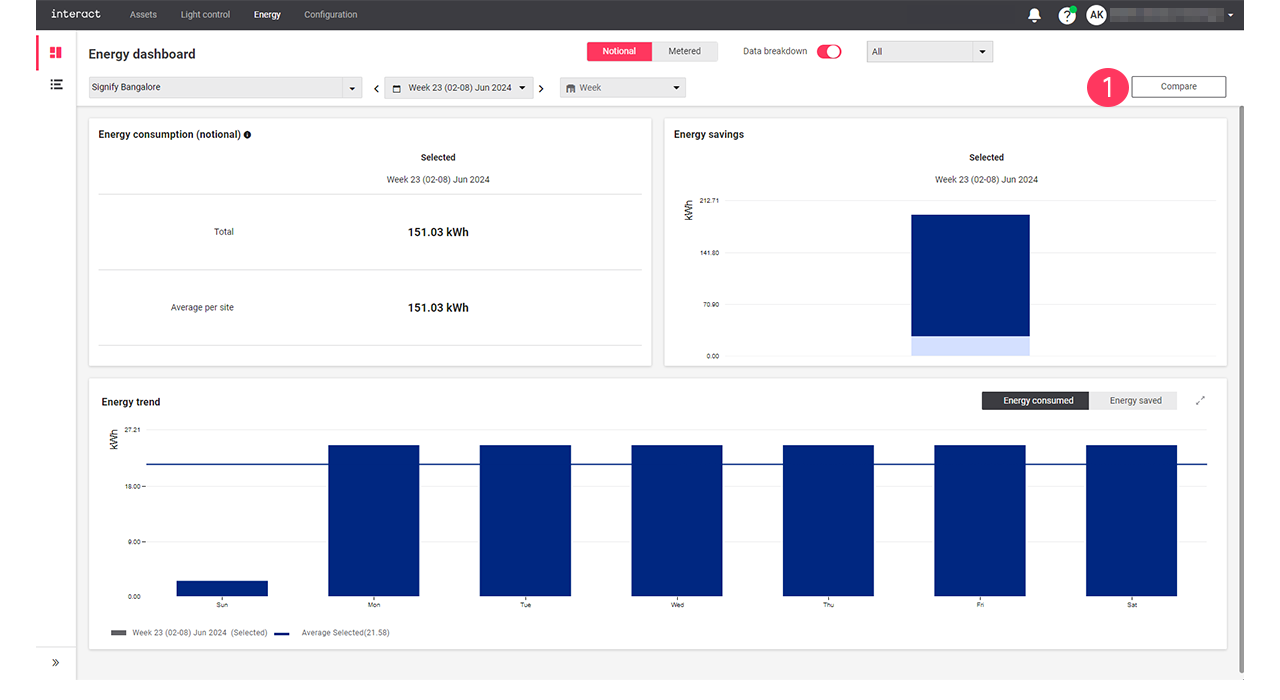
Use Compare when you want to compare the energy dashboard data of the selected period and the previous period or the current selected site with another selected site.

The Compare button is used to compare data for both Notional and Metered.

Period

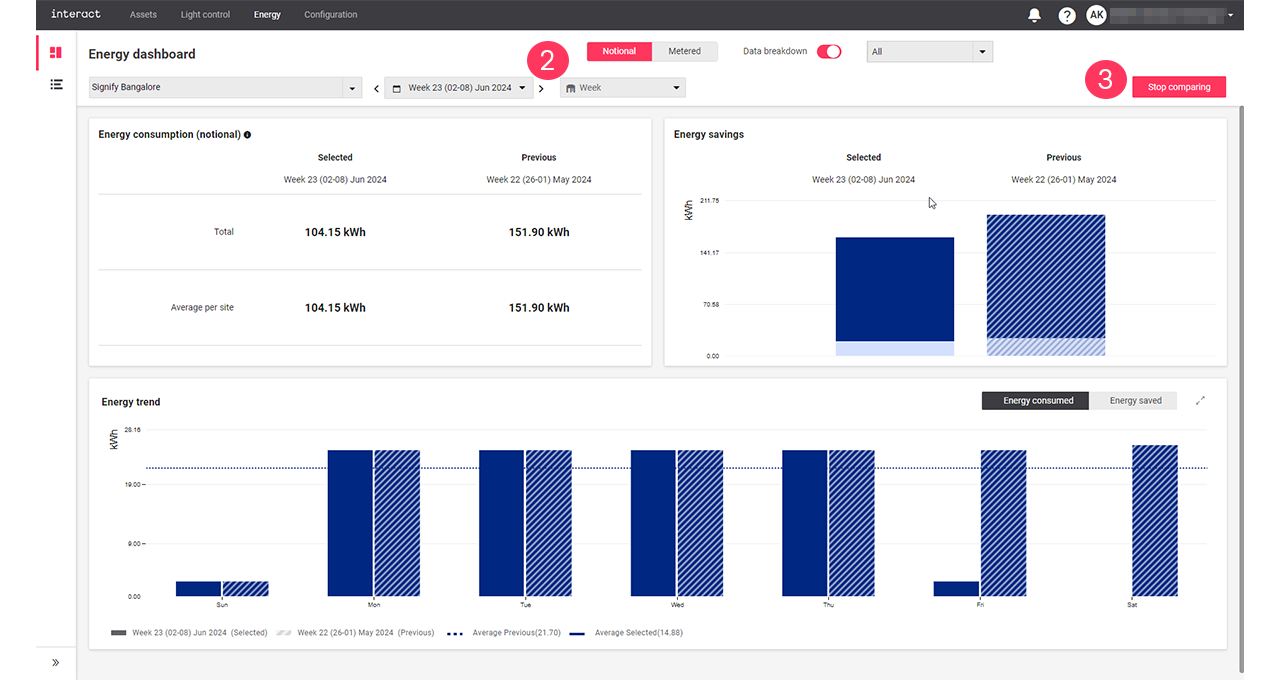
  1. On the energy dashboard, click Compare > Period > Ok to view the selected period and the previous period data comparison.

    nrg dashboard compare01
  2. Select a period from the dropdown arrow to view the data comparison.

    nrg dashboard period01
  3. Click Stop comparing.

Site

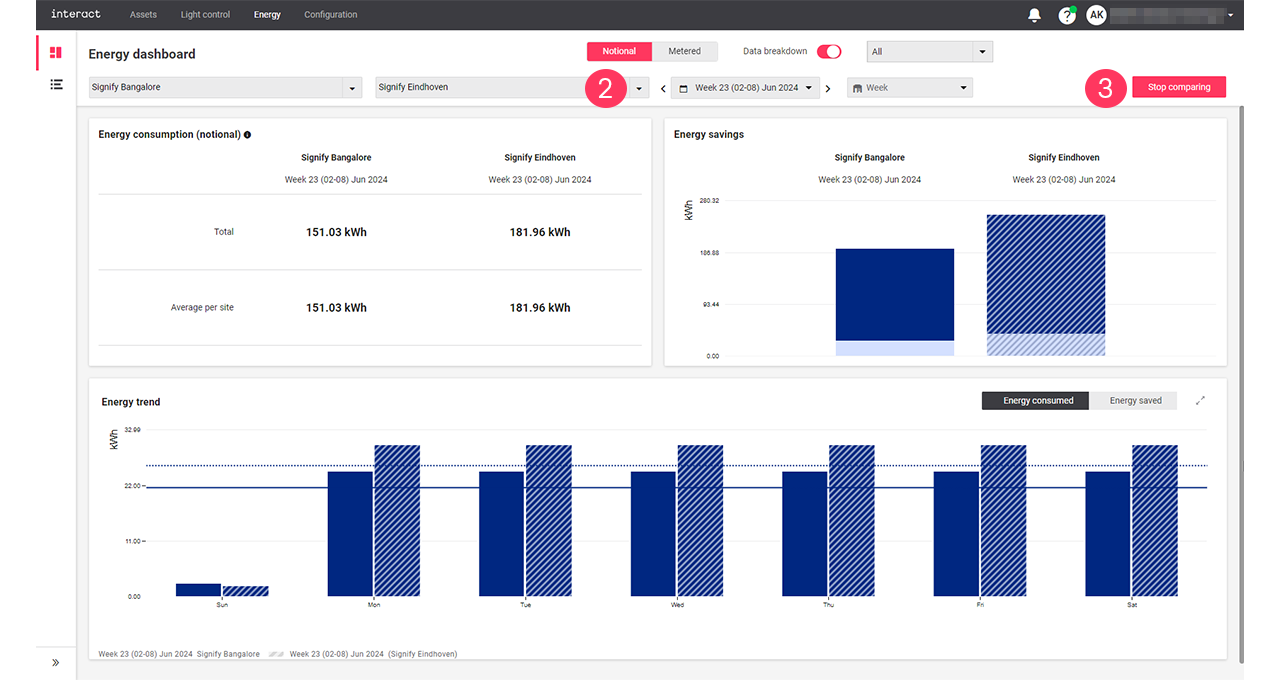
  1. On the energy dashboard, click Compare > Site > Ok to view data comparison of two sites.

    nrg dashboard compare01
  2. Select another site from the dropdown arrow to view the data comparison.

    nrg dashboard site01
  3. Click Stop comparing.